Design · August 18, 2024
Adaptive vs. Responsive Design: What's the Difference and When to Use Each
By Anika Sarder · Digital Marketing Specialist

Introduction
In today’s digital age, the quality of a website’s design can significantly influence a user’s experience and, consequently, their perception of a brand. Both adaptive and responsive designs are leading approaches in web design, tailored to ensure that websites look great and function well across a variety of devices. Understanding the differences between these two methods is crucial for developers, designers, and businesses aiming to create an optimal online presence. As mobile usage continues to rise, choosing the right design strategy becomes increasingly important to accommodate various screen sizes and user preferences. Moreover, the correct design approach can enhance accessibility, improve load times, and ultimately, drive better engagement and conversions. By investing in a thoughtful design approach, businesses can ensure that they not only meet but exceed user expectations, fostering loyalty and promoting a positive brand image. This adaptability is key in an era where consumer preferences shift rapidly and technology continues to evolve. Embracing these design strategies not only improves user experience but also strengthens a brand’s digital footprint in a competitive market. With the right design approach, companies can create a seamless, intuitive user interface that aligns with their brand values and meets the dynamic needs of today’s digital consumers.

Understanding Adaptive and Responsive Design
What is Adaptive Design?
Adaptive design refers to the creation of multiple fixed layout sizes. When a site detects the type of device being used, it selects the layout most appropriate for that screen size. Essentially, this design method prepares several distinct versions of a website that are activated depending on the device’s screen resolution. This approach allows for finely tuned design choices that cater specifically to the capabilities of each device, such as desktops, tablets, or smartphones. By doing so, adaptive design aims to optimize the user’s experience by leveraging device-specific functionalities and maximizing performance efficiency. This method can be particularly beneficial in scenarios where user contexts are clearly segmented by device type, allowing designers to customize content and interactions to meet those specific needs. Additionally, adaptive design can provide faster loading times for users, as only the necessary resources for each specific layout are loaded, minimizing data use and enhancing the overall browsing experience. This targeted efficiency makes adaptive design a powerful tool for optimizing sites with heavy content or complex interactions that vary significantly across devices. It also facilitates a more controlled and secure environment where developers can implement specific features without compromising the user interface on other devices. This level of customization is particularly advantageous in professional settings where user requirements may differ drastically, such as in enterprise solutions or specialized e-commerce applications.
What is Responsive Design?
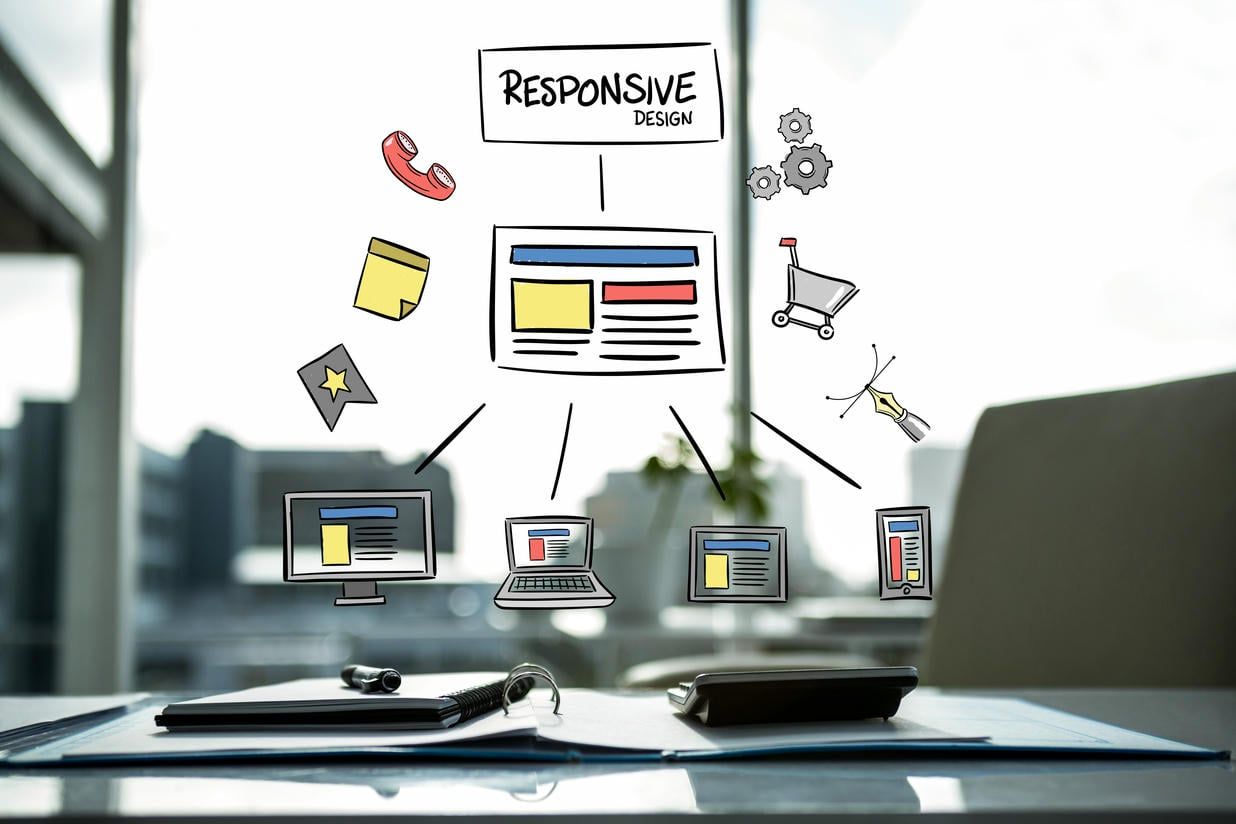
Responsive design, on the other hand, uses a single layout that fluidly changes depending on the screen size. It relies on flexible grid layouts, CSS, and media queries to adapt the presentation of a website dynamically as the browser window changes size. This approach ensures that the website is effectively displayed on any device, from desktops to smartphones. The fluidity of responsive design provides a seamless experience as users switch between devices, making it a popular choice for businesses aiming to maintain consistency in user experience and design. It simplifies website maintenance and content management since updates need to be made only once and are automatically applied across all devices. Moreover, responsive design’s universal nature helps improve SEO efforts, as search engines favor mobile-friendly sites and rank them higher in search results. This approach not only enhances accessibility and usability but also ensures better scalability as new devices enter the market. Additionally, responsive design can significantly reduce development costs and time, as it eliminates the need to create different versions of a website for different devices. This efficiency makes it an ideal strategy for startups and small businesses with limited resources but who wish to reach a broad audience effectively. It also allows for greater creative flexibility and innovation in design, enabling designers to experiment with complex visual and interactive elements that are adaptable across different screen sizes without sacrificing user experience.

Key Differences
- Layout Rigidity: Adaptive design uses fixed layouts that can lead to a more controlled appearance on specific devices, while responsive design is fluid and adjusts in real-time. This distinction means that adaptive design can provide a highly customized user experience, optimizing each layout for specific device capabilities and constraints. On the other hand, responsive design offers a more universal solution, ensuring consistency across all devices by dynamically adjusting to any screen size. This flexibility is especially valuable in a multi-device world where users may switch between desktops, tablets, and smartphones throughout their day. Consequently, while adaptive design may be ideal for specialized applications where device-specific functionality is paramount, responsive design suits a broader range of websites looking to maintain a cohesive user experience regardless of how the site is accessed.
- Development Time and Cost: Adaptive design can be more complex and costly because it involves creating multiple layouts. Responsive design, while initially more complex to set up, generally requires less maintenance over time. The multiple layouts involved in adaptive design mean that each must be updated and tested separately, leading to increased development time and potential for inconsistency. In contrast, responsive design’s single layout system allows for streamlined updates and uniformity across all devices, reducing long-term upkeep. This makes responsive design an attractive option for businesses that aim for efficiency and scalability. Moreover, the upfront investment in responsive design often pays off by minimizing the need for frequent major overhauls as new devices and screen sizes come to market.
- Performance: Adaptive designs can load faster on devices for which they are specifically optimized, as only the necessary assets load. Responsive designs might initially load more slowly as they need to adjust to the device during the initial loading. This optimization in adaptive design can enhance performance and improve user satisfaction, especially for users with limited bandwidth or older devices. However, responsive design compensates for its slower initial load times with its versatility and long-term ease of maintenance. Over time, the ability of responsive designs to adapt seamlessly to any screen size can result in a net positive in terms of performance, especially as newer technologies and optimization techniques are employed. Additionally, the singular approach of responsive design simplifies the testing process, as developers need to ensure functionality across different screen sizes rather than maintaining several distinct website versions.
Pros and Cons
Adaptive Design

Pros:
- Tailored experience for different devices which can optimize usability and performance. This approach allows designers to create highly optimized interactions that cater specifically to the capabilities and limitations of each type of device, whether it’s a large desktop monitor or a small smartphone screen. By designing distinct layouts for different devices, adaptive design ensures that all elements, from navigation menus to call-to-action buttons, are appropriately sized and placed for easy interaction, enhancing the overall user experience. This level of customization can significantly increase a site’s effectiveness, keeping users engaged and reducing bounce rates due to poor interface design or user experience frustrations.
- Potential for more controlled and curated content specific to device types. This strategy allows businesses to tailor their messaging and functionality to suit the unique characteristics of each device, maximizing the impact of their content. For example, a site might display more visually intensive content on a desktop where the larger screen can handle complex designs, while simplifying layouts and increasing text size on mobile devices for better readability on smaller screens. Such customization can lead to a more personalized user experience, which can be crucial for conversion optimization and customer retention. This approach also helps in streamlining content delivery, ensuring that users receive information that is not only relevant to their interests but also presented in a way that is optimized for their current device.
Cons:
- Higher maintenance and update requirements as each version might need individual tweaks. This factor can increase the workload for development teams as they must manage multiple versions of content, code, and design elements. Each update or change to the website needs to be applied separately across all versions, requiring thorough testing to ensure consistency and functionality. This not only extends the timeline for rolling out new features or content but also increases the potential for errors or inconsistencies between different device-specific versions. Consequently, businesses employing adaptive design need to be prepared for the additional resources and time investment required to maintain a high-quality user experience across all platforms.
- Increased initial cost and development time due to the necessity of multiple layouts. This requirement means that developers must create, test, and optimize separate versions of a website for various devices, which can significantly extend the project timeline and budget. Each layout often demands unique design adjustments and specific coding, multiplying the effort needed to launch a fully functional site. Additionally, the need for comprehensive quality assurance across each version adds to the complexity, as ensuring a consistent user experience becomes more challenging. This can lead to higher upfront costs not only in development but also in ongoing maintenance and updates, as each layout may require individual attention whenever changes are made.
Responsive Design
Pros:
- A single layout is cheaper to maintain over time and updates are universally applied. This streamlined approach simplifies the management of website content and structure, reducing the need for specialized skills or separate teams to handle different device-specific versions. It also accelerates the deployment of updates, as a single change can propagate across all platforms simultaneously, ensuring consistency and reducing the risk of errors. Moreover, this efficiency can significantly cut down on testing time and resources since only one version of the site needs to be scrutinized and optimized for performance across various devices. This not only reduces operational costs but also allows for quicker response to market changes and user feedback.
- Improved SEO as responsive sites are favored by search engines like Google. This preference is due to responsive design’s ability to provide a better user experience across multiple devices with a single URL, which simplifies Google’s indexing process. Additionally, responsive websites typically have lower bounce rates because they are more accessible and user-friendly across devices, which can further improve search rankings. Google’s emphasis on mobile-first indexing means that having a mobile-friendly responsive site can significantly enhance a site’s visibility and searchability. This alignment with Google’s best practices not only helps in boosting organic traffic but also strengthens the overall online presence of a business in competitive search landscapes.
Cons:
- May feature more limited or generic designs to ensure compatibility across all screens. This necessity often leads to compromises in certain aesthetic or functional elements that could be more specifically tailored in a device-specific approach like adaptive design. While responsive design is highly effective for broad compatibility, the constraints of ensuring that elements work seamlessly on everything from a smartphone to a large desktop monitor can limit the use of complex graphics or interactive features that may not scale well. Designers must carefully balance creativity with practicality, ensuring that key visuals and functionality perform consistently regardless of the device used to access the site. This can challenge designers to innovate within constraints, pushing for designs that are both versatile and visually appealing.
- Performance issues can arise if not properly optimized, especially with media queries and large files. Responsive design’s reliance on these elements to adapt the layout to various devices can lead to slower load times if the media queries are extensive or if the content includes high-resolution images and videos that aren’t properly scaled down for smaller screens. To mitigate these issues, developers must employ techniques like image compression, lazy loading, and conditional loading of resources based on the device capabilities. Properly implementing these optimizations can significantly enhance site speed and user experience, ensuring that the site remains efficient and responsive across all platforms. This proactive approach to performance optimization is essential for maintaining high engagement and minimizing bounce rates in a responsive design framework.
Practical Examples and Scenarios
- E-commerce Site: An e-commerce platform may benefit more from adaptive design if it aims to provide an ultra-tailored experience on different devices, optimizing conversion rates on each platform. By customizing the user interface and functionalities specifically for each device type, businesses can enhance the shopping experience, making it more intuitive and user-friendly for their target audience. For instance, adaptive design can allow for larger buttons and simplified navigation on mobile devices, while offering more detailed imagery and complex interactions on desktop versions. This level of customization helps in addressing the specific preferences and browsing behaviors of users based on the device they are using, potentially leading to higher user engagement and increased sales. Additionally, adaptive design can facilitate more targeted marketing strategies, such as specific promotions and features that are most suitable for each type of device, further enhancing the effectiveness of the e-commerce platform.
- Blogs and Informational Sites: These are generally better off using responsive design, as content needs to be accessible and legible across all devices without significant differences in user experience. This approach ensures that whether a user accesses content from a smartphone, tablet, or desktop, the information is presented in a clear and consistent manner. Responsive design’s fluid nature allows for easier reading and navigation without the need for extensive resizing, panning, or scrolling. This uniformity is crucial for maintaining user engagement and satisfaction as it eliminates confusion and enhances the accessibility of content. Moreover, by using responsive design, developers can adhere to web accessibility standards more effectively, making the site usable for people with disabilities. This inclusivity not only broadens the audience but also reinforces the site’s reputation and compliance with legal guidelines.
Conclusion: Choosing the Right Approach
Deciding between adaptive and responsive design should be guided by specific needs and goals. For businesses seeking a bespoke user experience tailored to specific devices or having a significant disparity between desktop and mobile users, adaptive design might be the better choice. Conversely, for those prioritizing broader accessibility, maintenance ease, and cost-effectiveness, responsive design will likely be more suitable. Both approaches offer distinct advantages and can be used effectively depending on the project’s requirements. As web technologies continue to evolve, the decision on which to use should always be reevaluated in light of new developments and changing user behaviors. This ongoing assessment ensures that a website remains competitive and continues to meet user expectations efficiently. Additionally, leveraging analytics and user feedback can provide valuable insights into how different designs impact user interaction and satisfaction, helping to inform future design choices. Understanding these dynamics is essential for any organization aiming to optimize its online presence and achieve its digital strategy objectives. Furthermore, aligning the choice of design approach with the overall business strategy and future growth plans can also play a crucial role in determining the most effective path forward. As technology and user expectations change, staying adaptable and responsive to these shifts will be key to maintaining an engaging and successful online platform. This adaptability is not just about technological shifts but also about responding to market trends and user preferences, ensuring that the web design strategy remains aligned with the target audience’s needs and the latest digital standards. It’s about crafting an experience that not only looks good but also works seamlessly across all platforms, fostering an environment where user engagement and satisfaction are at the forefront of design considerations. By closely monitoring the effectiveness of the chosen design strategy and being willing to pivot as necessary, businesses can ensure they remain responsive to the digital landscape’s ever-changing nature.
